
June 2, 2026
The Invisible Disasters Lurking Behind a Flawless UI
A beautiful user interface is worthless if your site crashes under a minor traffic spike, leaks customer data, or fails to register conversions because a tracking pixel was deployed incorrectly. Most agency handoffs focus on aesthetic approval. They pass off a visual masterpiece that is functionally fragile under the hood.

Damien
DESIGN. IDENTITY. SCALE.
Skipping rigorous, systematic pre-launch testing costs real money. When a site goes live with broken technical foundations, the damage isn’t just a minor bug—it is an immediate hit to brand equity and advertising efficiency.
[Visual Handoff] ──> Neglecting Infrastructure ──> Broken Schemas & Ghost Pixels
                                                     │
                                                     └──> Costly Post-Launch Firefighting
- The Ghost Pixel Trap: Deploying ad campaigns with unvalidated conversion scripts means flying blind. You waste ad spend on unoptimized traffic while your ad manager miscalculates ROI.
- The Unchecked Redirect Loop: Migrating content without an exact 1:1 URL mapping destroys organic search rankings overnight. Google indexes dead links, bounce rates skyrocket, and your organic pipeline dries up.
- The Baseline Security Void: Leaving default login paths open and ignoring basic security headers invites automated malicious bots to exploit your database within minutes of DNS propagation.
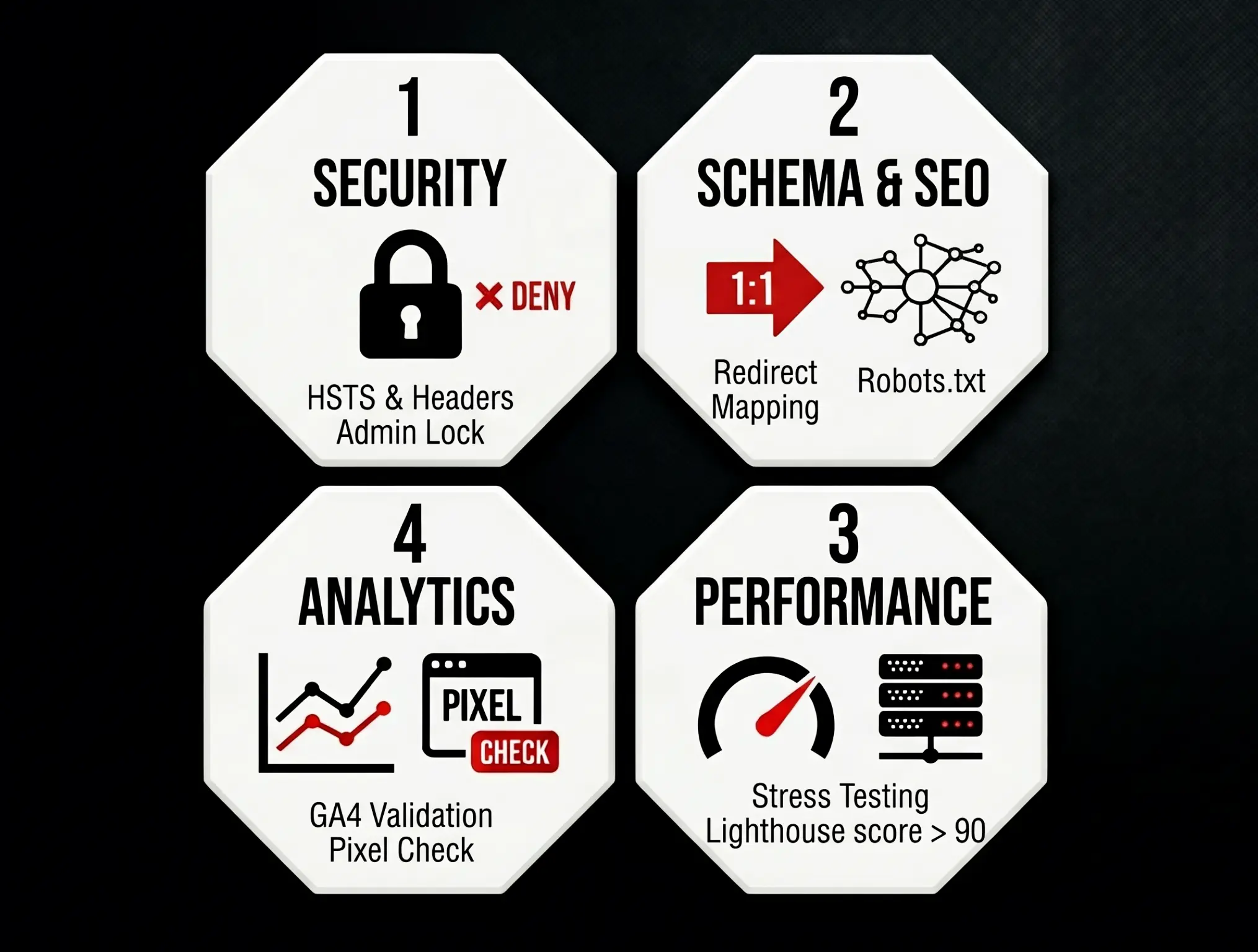
The 4-Pillar Hardening and Validation Blueprint
Run every web asset through this four-stage execution matrix before pointing production traffic to your server. No exceptions, no shortcuts.
1. The Hard Security and Infrastructure Lockdown
Basic SSL certificates are no longer the benchmark; they are the bare minimum. True asset security requires hardening the server layer and controlling exactly how browsers execute your site code.
- Enforce HTTP Strict Transport Security (HSTS): Force all connections over TLS. This prevents protocol downgrades and cookie hijacking. Add the following header to your server configuration:
Strict-Transport-Security: max-age=63072000; includeSubDomains; preload - Inject Essential Security Headers: Prevent cross-site scripting (XSS) and clickjacking by configuring strict server response headers.
X-Frame-Options: DENY(Prevents the site from being embedded in malicious iframes)X-Content-Type-Options: nosniff(Forces browsers to adhere to declared MIME types)Referrer-Policy: strict-origin-when-cross-origin(Protects sensitive user referral data)
- Sanitize and Relocate the Admin Entry Point: Change default login URLs (like
/wp-adminor/admin) to a custom, obfuscated path. Implement rate-limiting rules at the firewall layer to block IP addresses exceeding 5 failed login attempts within a 60-second window.
2. High-Fidelity Schema Deployment and Technical SEO Verification
Search engines must read your site architecture instantly. Structured data must be flawless to capture rich snippets and dominate search engine results pages (SERPs).
| Schema Type | Core Target | Mandatory Fields for Validation |
| Organization | Brand Identity & Trust | name, url, logo, sameAs (Social profiles) |
| LocalBusiness | Physical Footprint | address, geo (Lat/Long), telephone, openingHours |
| Product / Service | Conversion Elements | name, image, offers (price, priceCurrency), review |
Execute a complete crawl of the staging environment using an industry-standard crawler like Screaming Frog. Isolate and correct every 404 error, redirect loop, or missing alt text attribute. Ensure your robots.txt file explicitly permits indexing on production while keeping staging protocols tightly closed.
Staging Environment (Tightly Closed) ──> Validate Layout & Fix 404s ──> Update Robots.txt ──> Production (Index Open)
3. Stress-Testing Performance Under Load
A site that loads fast for a single developer sitting in a local environment can easily buckle when hundreds of concurrent users hit a checkout or registration page.
- Set the Performance Baseline: Run every core landing page through Lighthouse and PageSpeed Insights. Do not deploy if mobile performance scores drop below 90.
- Optimize the Critical Rendering Path: Defer non-critical JavaScript, inline essential CSS required for above-the-fold content, and implement explicit
widthandheightdimensions on all media assets to eliminate Cumulative Layout Shift (CLS). - Simulate Peak Traffic Traffic Waves: Use load-testing tools like k6 or Artillery to simulate synthetic traffic spikes. Run a 10-minute test simulating 500 concurrent users performing transactional actions. Monitor your server’s CPU and memory utilization. If utilization crosses 80%, upgrade your hosting infrastructure or implement aggressive object caching before going live.
4. Analytical Tracking and Data Validation
Data integrity drives smart growth marketing decisions. If your tracking implementation is broken, your strategic insights are completely compromised.
- Verify Google Analytics 4 (GA4) Real-Time Data Flow: Trigger test events across different device types. Confirm that custom events—such as form submissions, scroll depth milestones, and button clicks—register properly within the GA4 real-time debug console.
- Validate the Server-Side Tracking Pipeline: Shift heavy tracking pixels (Meta, Google Ads, LinkedIn) from client-side browser execution to server-side Google Tag Manager (GTM). This step reduces execution overhead on the user’s device while safeguarding conversion data against aggressive browser ad-blockers.
The Dark Launch Strategy: Flipping the Switch with Zero Downtime Risk
The traditional approach to launching a website involves a high-stress, all-at-once transition. The DNS records are updated, the team crosses their fingers, and everyone hopes nothing breaks. This method is an unnecessary, high-stakes gamble.
Elite development pipelines use a Dark Launch and Phased Traffic Routing strategy via a Content Delivery Network (CDN) like Cloudflare or an advanced reverse proxy setup.
                      ┌──> Old Infrastructure (90% Traffic)
                      │
User Traffic ──> CDN ─┤
                      │
                      └──> New Infrastructure (10% Traffic - Dark Launch)
Instead of shifting 100% of your production traffic to the new infrastructure instantly, deploy the updated web asset to an isolated server environment running parallel to your existing site. Configure your CDN to route a microscopic fraction of real, live user traffic to the new asset.
The 10% Canary Execution Plan: Route exactly 10% of inbound, unauthenticated organic traffic to the new site architecture. Monitor server exception logs, database connection pools, and client-side error reporting tools in real-time.
This approach lets you catch hidden runtime errors, unhandled edge cases, and localized device performance issues under real-world conditions without jeopardizing your entire user base. If any critical alerts trip, instantly roll the CDN routing rules back to the old, stable infrastructure asset. Your users experience zero disruption, your revenue streams remain completely safe, and your team can diagnose errors using actual production data rather than guesswork. Turn the traffic dial up to 100% only after the new asset maintains a clean error log for 4 consecutive hours under this partial load.