
June 1, 2026
Why Your Local Business Is Invisible on Google Maps
Most local businesses treat Google Maps optimization like traditional SEO—stuffing keywords into descriptions, building generic directory links, and hoping for the best. That strategy leaves you buried on page two. The reality is that Google’s local algorithm operates on a completely distinct framework driven by three core pillars: proximity, relevance, and prominence.

Damien
DESIGN. IDENTITY. SCALE.
The fatal mistake scaling companies make is failing to understand entity validation. Google does not just read the text on your website; it attempts to map your business as a distinct, real-world entity in its Knowledge Graph. When your Name, Address, and Phone Number (NAP) vary across the web—even by minor discrepancies like “Suite 100” versus “#100″—it creates algorithmic friction.
[Algorithmic Friction] -> [Low Entity Trust] -> [Dropped Map Pack Rankings]
Google cannot confidently verify your location, so it suppresses your Google Business Profile (GBP) in favor of competitors who present clean data signals. If you are relying on automated software to mass-distribute inconsistent data, you are actively burning your local visibility.
The Three-Phase Map Pack Domination Playbook
To force your business into the top three local map results, you must execute a precise optimization protocol that builds undeniable entity authority.
Phase 1: Advanced Google Business Profile Infrastructure
Do not just fill out the basic fields on your GBP. You need to optimize for semantic relevance.
- Primary Category Selection: Choose the hyper-specific category that represents your primary revenue driver. If you are a commercial roofing contractor, do not select “General Contractor.” Secondary categories should support, not dilute, this focus.
- The 750-Character Semantic Description: Write a hyper-localized description. Do not stuff keywords. Instead, include semantic variations of your services alongside local landmarks, neighborhoods, and regional identifiers.
- Geotagged Visual Assets: Upload high-resolution photos of your team, equipment, and completed projects weekly. Google reads the embedded metadata and visual content of these images to verify real-world activity at your coordinates.
Phase 2: Hyper-Local Landing Page Architecture
If you serve multiple territories, generic service pages will not cut it. You must build high-performance localized landing pages that map directly to your GBP locations.
| Element | Specification | Conversion/SEO Impact |
| URL Structure | /locations/city-service | Clean semantic hierarchy for web crawlers. |
| H1 Tag | [Service] in [City, State] | [Brand] | Immediate contextual alignment. |
| NAP Overlay | Exact match text matching GBP precisely | Establishes absolute entity verification. |
| Embedded Map | Custom Google Maps CID link embed | Explicitly connects organic page to map entity. |
| Local Schema | LocalBusiness or specific type JSON-LD | Structured data directly injected into the code. |
To make the Local Business structured data bulletproof, inject a clean JSON-LD script into the header of your localized landing page. This removes any ambiguity for search engine spiders:
JSON
{
  "@context": "https://schema.org",
  "@type": "RoofingContractor",
  "name": "HUZL Digital Roofing",
  "alternateName": "HUZL Scaling Systems",
  "url": "https://huzl.agency/locations/charlotte-roofing",
  "logo": "https://huzl.agency/assets/logo.png",
  "image": "https://huzl.agency/assets/location-charlotte.jpg",
  "description": "Premium commercial roofing services in Downtown Charlotte and surrounding neighborhoods.",
  "telephone": "+1-704-555-0199",
  "priceRange": "$$$",
  "address": {
    "@type": "PostalAddress",
    "streetAddress": "101 S Tryon St Suite 100",
    "addressLocality": "Charlotte",
    "addressRegion": "NC",
    "postalCode": "28280",
    "addressCountry": "US"
  },
  "geo": {
    "@type": "GeoCoordinates",
    "latitude": 35.2271,
    "longitude": -80.8431
  },
  "openingHoursSpecification": {
    "@type": "OpeningHoursSpecification",
    "dayOfWeek": [
      "Monday",
      "Tuesday",
      "Wednesday",
      "Thursday",
      "Friday"
    ],
    "opens": "08:00",
    "closes": "18:00"
  }
}
Phase 3: Calibrating Your Review Velocity Engine
Raw review volume is a vanity metric. Google’s algorithm prioritizes review velocity (how frequently you receive reviews) and sentiment diversity (the specific words used within those reviews).
- Establish a Daily Cadence: Implement an automated SMS or email request system triggered immediately within 2 hours of project completion or product delivery. A sudden spike of 50 reviews followed by months of silence signals algorithmic manipulation.
- Prompt Keyword-Rich Sentiment: Do not just ask for “a five-star review.” Coach your clients to mention the specific service provided and the neighborhood name.
- The Active Response Loop: Respond to every review within 24 hours. Use your responses to add secondary semantic keywords. If a client praises a plumbing job, reply with: “Thanks for the feedback! Our team loves providing emergency pipe repair here in North Charlotte.”
Weaponizing First-Party Geo-Signals to Shatter Proximity Limits
The standard limitation of Local SEO is the “proximity radius.” As a user moves further away from your physical office or storefront, your rankings naturally drop. Most agencies accept this as an unchangeable reality. They are wrong.
You can artificially expand your ranking radius by generating authentic, first-party user signals from target geofenced areas.
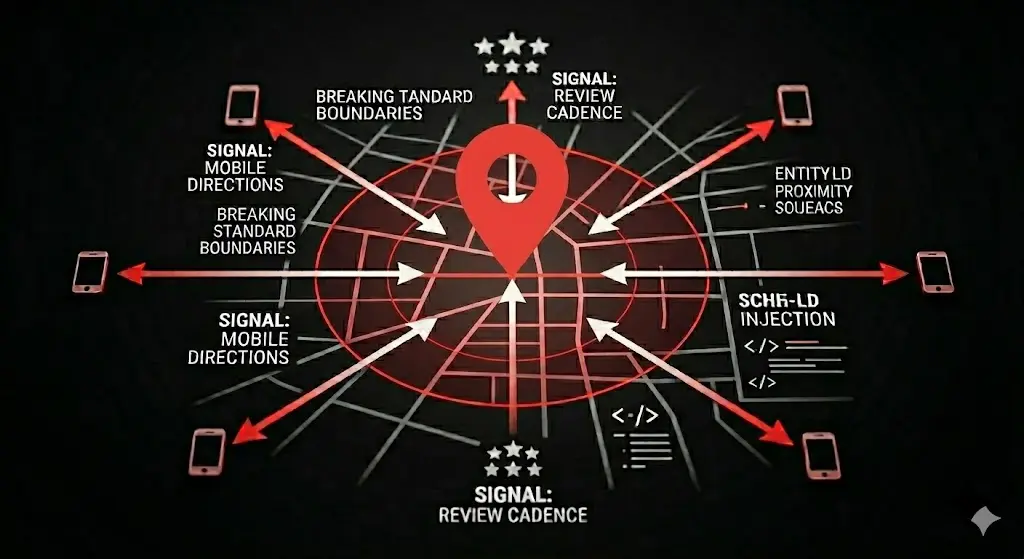
The Behavioral Signal Edge: Google tracks the real-time location data of mobile users who interact with your brand. When a user opens Google Maps outside your immediate radius, searches for your specific brand or service category, and initiates driving directions to your location, Google updates your entity prominence score for that specific coordinate.
To intentionally trigger these high-value behavioral signals, run highly targeted local meta-campaigns or hyper-local YouTube ad placements restricted to your expansion zip codes. Do not run generic ads that point to a website home page. Craft the campaign around an exclusive, high-value incentive that requires the user to interact with your Google Business Profile.
For example, drive users to a custom mobile landing page containing a “Directions to Our Event/Showroom” button that links directly to your GBP navigation route ([https://www.google.com/maps/dir/?api=1&destination=YOUR_PLACE_ID](https://www.google.com/maps/dir/?api=1&destination=YOUR_PLACE_ID)).
When hundreds of mobile devices start requesting directions to your business from 5, 10, or 15 miles away, Google’s algorithm recognizes your business as a high-demand regional hub. The algorithm responds by overriding standard proximity constraints, pushing your Map Pack visibility deep into markets your competitors think they control.